
hya is an ATS (Applicant Tracking System) designed to help small businesses by building in the expert advice of our founders and their combined 40+ years in the industry.
Project brief: To lead UX design on the MVP.
Role: Sole UX designer and researcher working directly with the CTO/Engineer, after 6 months the team grew to include UI designers and front-end engineers.
Tools: Figma, TryMyUI, Miro, Hotjar, Notion
Scope: This case study covers one area of the hya platform, I worked on the product for 18 months so I’ll be splitting the work into multiple case studies.
My design process:
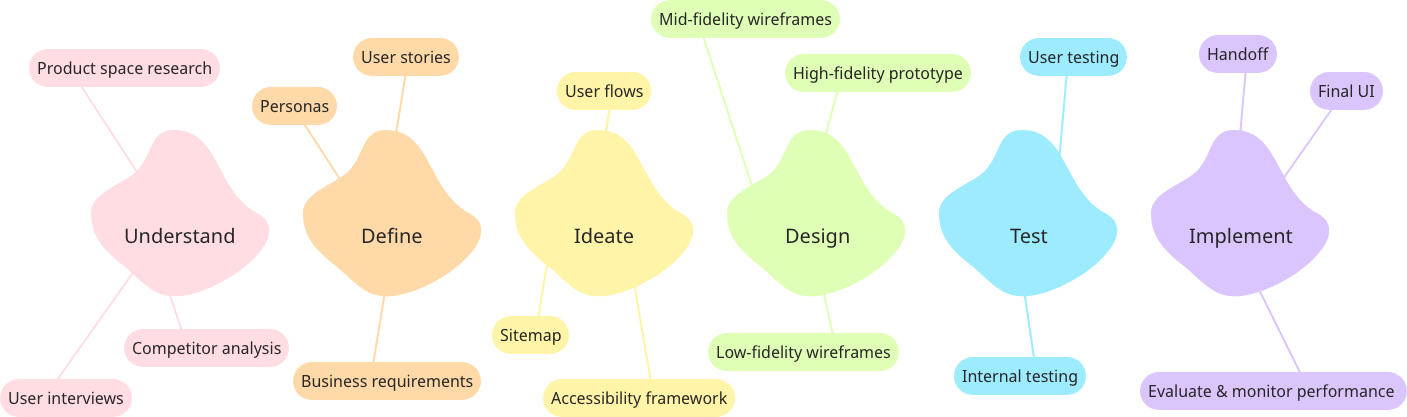
Problem statement: How do we facilitate small businesses to manage their hiring process in a way that is time-efficient for them but still provides a good candidate experience?
Understand
| Founders | Audience interviews | Competitor analysis |
|---|---|---|
| 40 years combined experience | Startup founders, hiring managers in small businesses | Personio, BambooHR, Workable and others |
| Worked with many startups | Focus on current processes and pain points | Not startup focused Feature-rich but overcomplicated |
| Practical information on typical hiring processes and practices | Main takeaway: they are using many tools and a lot of time on repetitive tasks/comms | Good ideas on templates and automation |
The research phase had 3 tracks. From our founders, I learned from their aggregate experiences of working with building founding teams for startups over a number of years.
When conducting interviews with our prospective audience I focused more on their pain points with their current process. As well as pain points I was interested to learn what parts of the process they enjoy as it’s important to me to make the experience not only painless but joyful where possible.
Define
At this part of the project we had defined our personas into the 3 shown above.
When dealing with each problem statement it’s important to remember that each persona, their needs and goals, will have a lot of overlap but they may also have specifics that need to be targeted in a way that solves their problem without causing friction for other users.

Ideate

When mapping out the ‘happy journey’ I thought it was important from the start to think about how this journey can be conducted on one page.
Many other products I researched were complex to use and the aim was for this process to be as simple as possible considering the journey itself could become very complex when adding multiple interviews and many candidates.
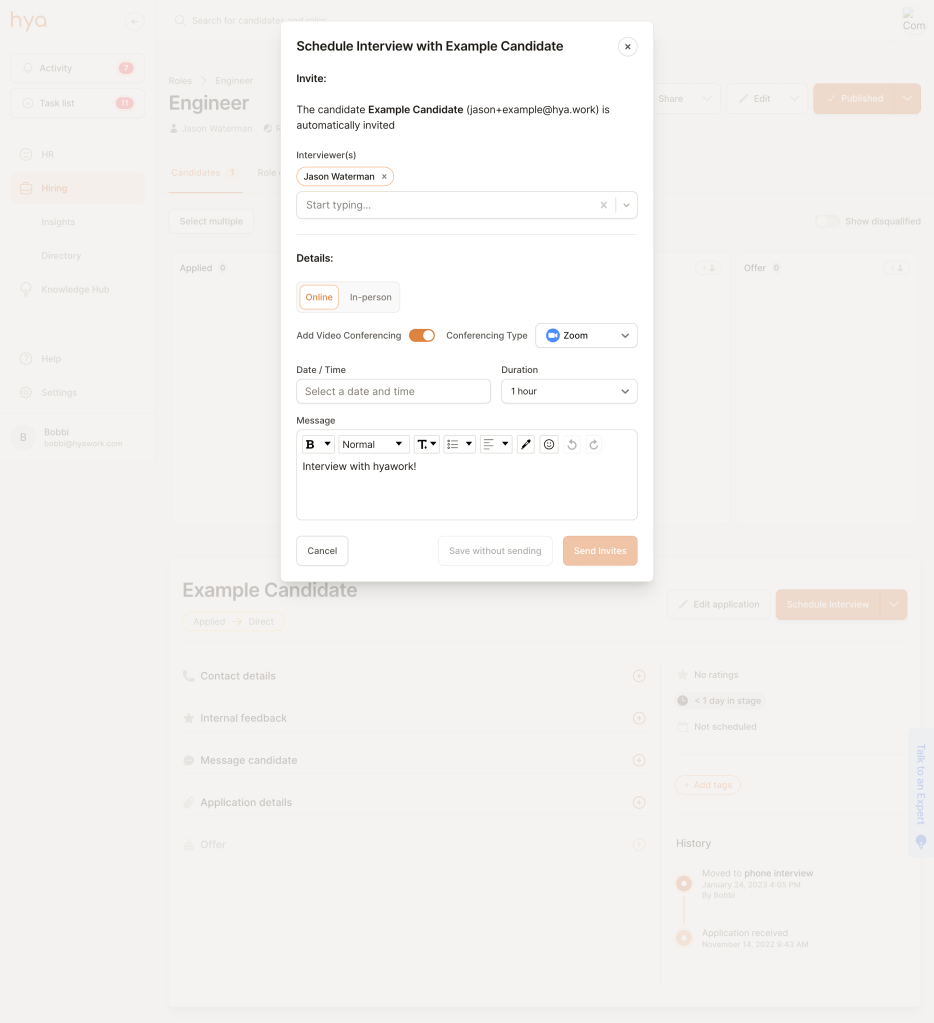
There were a couple of challenging points in this user flow. The interviews themselves are conducted off-platform so we had to consider how to facilitate that and encourage people back to the platform. As one of the pain points that came up a lot in research was communication, we created spaces for both internal (between colleagues) and external (between hiring managers and candidates) communication post-interview.
Another issue is if there are many candidates the process is quite time-consuming so we introduced time-saving features such as muli-select actions and email templates.
Design

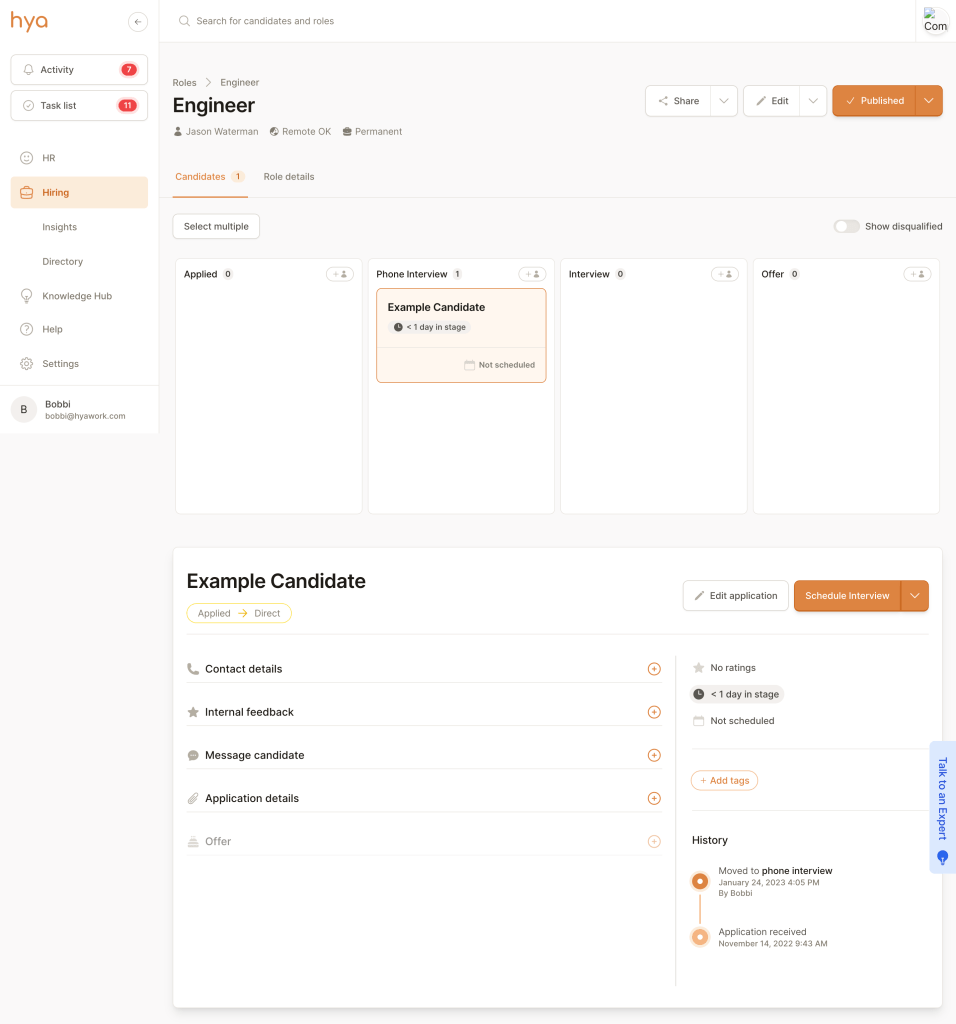
This very early mid-fidelity wireframe shows the unique idea to have a half-page kanban where you could see the whole process and where your candidates are sitting, then open specific candidate information on this same page under the kanban where the text is.
Whilst the UI changed drastically over the iterations I’m happy to look back and note how close even this first draft is to what became the MVP live product in terms of UX.
As seen in my design process, design and testing are cyclical stages so we jumped into testing with a very raw version of the platform so we could understand what our users thought and get the flow right for the MVP before working too much on the interface.
Test

Multiple usability tests were conducted with team members, associates and others who fit our target audience. Overall this particular flow had good responses and people found it intuitive to move their candidates through the hiring process.
However, some improvements also came out of this testing, for example;
- We changed the ability to assign approval to move a candidate into a specific stage. Instead, we made it so you could allow a manager to approve the role going live and if you needed approval at a later stage you could tag that colleague in the internal feedback section.
- We had originally planned to keep interviews as on-platform as possible, however in testing this was decided to be too complex and there was little buy-in from users so this was removed for the MVP to be re-thought at a later date.
To help our Sergio persona users who specified a pain point around knowing how best to move a candidate through the process, we had the main CTA change to the next logical step for the candidate you have selected. For example, if the candidate has been moved to an interview stage but no interview has yet been scheduled the CTA will be ‘Schedule interview’. Once the interview has been scheduled the CTA becomes ‘Advance to [next stage]’. This was highlighted as a very useful feature during usability testing.

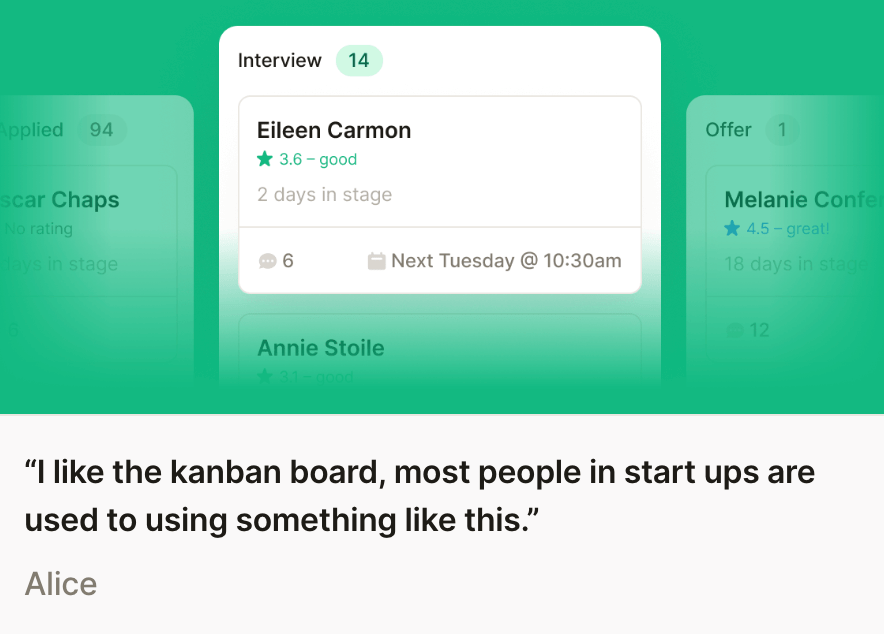
Once we had a working MVP we invited a few companies to be early users. We were lucky that our early adopters were very engaged and offered plenty of feedback. This along with using HotJar as an observation tool allowed us to make many iterations on this main flow.
An example of an iteration that came directly from customer feedback is the changes to the internal and external messaging sections.
- Users noted that some internal feedback may be sensitive, e.g. discussing potential salaries for a hire. To facilitate this we introduced a private message toggle so that those messages would only be seen by yourself or any colleagues tagged in them.
- It was noted that users wanted to be able to respond to messages from candidates directly in their emails instead of logging into the platform every time. Whilst we would prefer users to be on the platform we had to understand how hya was used as part of an overall workflow. Allowing users to respond directly within their emails but automatically keeping a copy of this correspondence in the platform allowed hya to be a source of truth for candidate comms but users could save time by responding within their email inbox.
- To combat the time-consuming pain point discovered in the research phase we also introduced templates for repetitive candidate comms such as scheduling interviews or disqualifying candidates. These templates could be edited by each company to fit their tone of voice or introduce company-specific templates; having a selection of templates included that were written by our in-house experts added value as a learning tool for best practices in these types of messages.
Another important iteration that came directly from user feedback was creating a calendar integration so that all interviews scheduled on hya automatically created events in popular calendar apps for both the candidate and interviewers.
Implement
I worked with some brilliant UI designers and engineers throughout the course of this project.
I worked closely with both Nick and James as our engineering team. From day one we wanted to have a collaborative design and engineering process where ideas could flow both ways. I was also lucky enough to work with Amber in her role as UI designer, Amber helped to manage and grow our design system to make the process of low–to-high fidelity wireframing easier.
Next steps
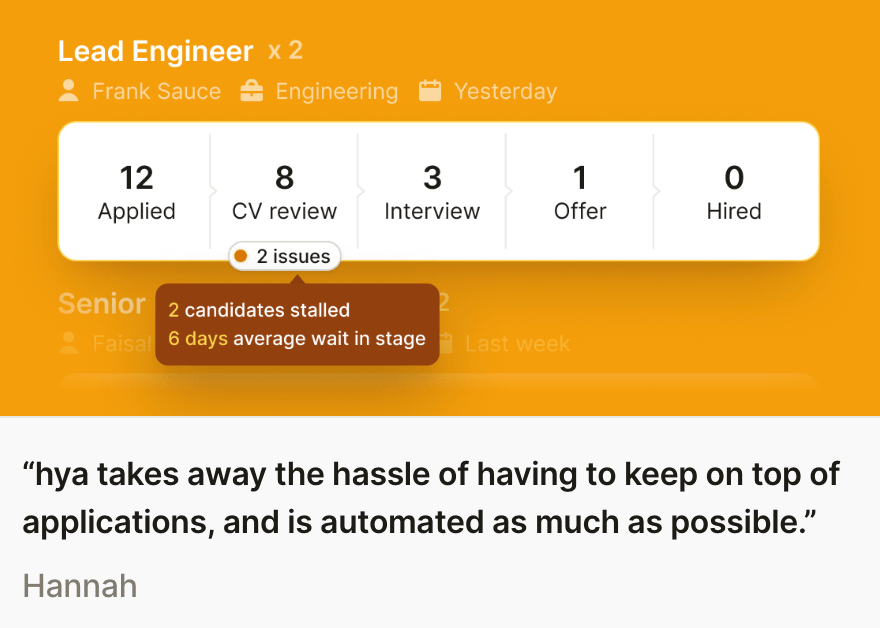
We received some great customer feedback on this flow, if I was able to continue with this product there are some areas I would look at next based on customer feedback and industry trends.

- Smart calendar integration: For example, collaborating with a tool like Calendly
- Interview planning: As mentioned, this was removed from the MVP plans but it would be great to circle back and see how we can bring interviewing more on-platform
- Contracts: To finish the flow the next step should be to allow contract creation and e-signing.
If you have any questions about this case study you can email me. I will be creating further case studies to explore other areas of the hya platform.

 Bobbi Brant
Leave a comment